Feature suite

Start with the homeowner question. Open the engineering detail when you need it.

Solar Plan Lab connects the tools so the same project can move from a bill estimate to roof fit, equipment checks, power flow and a report.

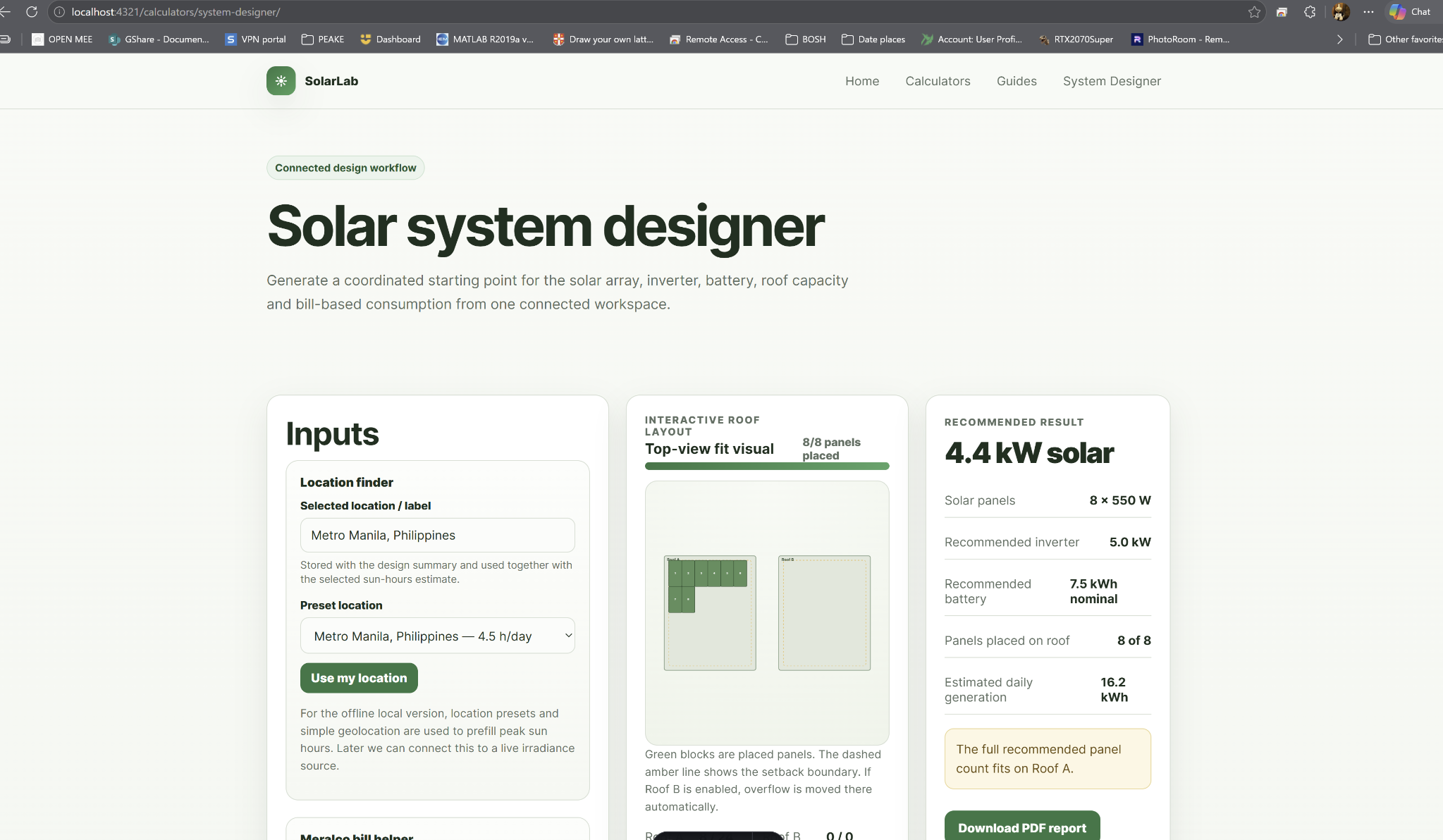
Connected Home Solar Designer

A single project connects usage, panels, inverter, battery, roof fit, cost assumptions and phase planning.

  • Simple and Advanced views
  • Monthly kWh or bill-based inputs
  • Battery optional by goal
  • Editable build phases
  • Homeowner and technical reports
Open this feature
Solar Plan Lab system designer interface

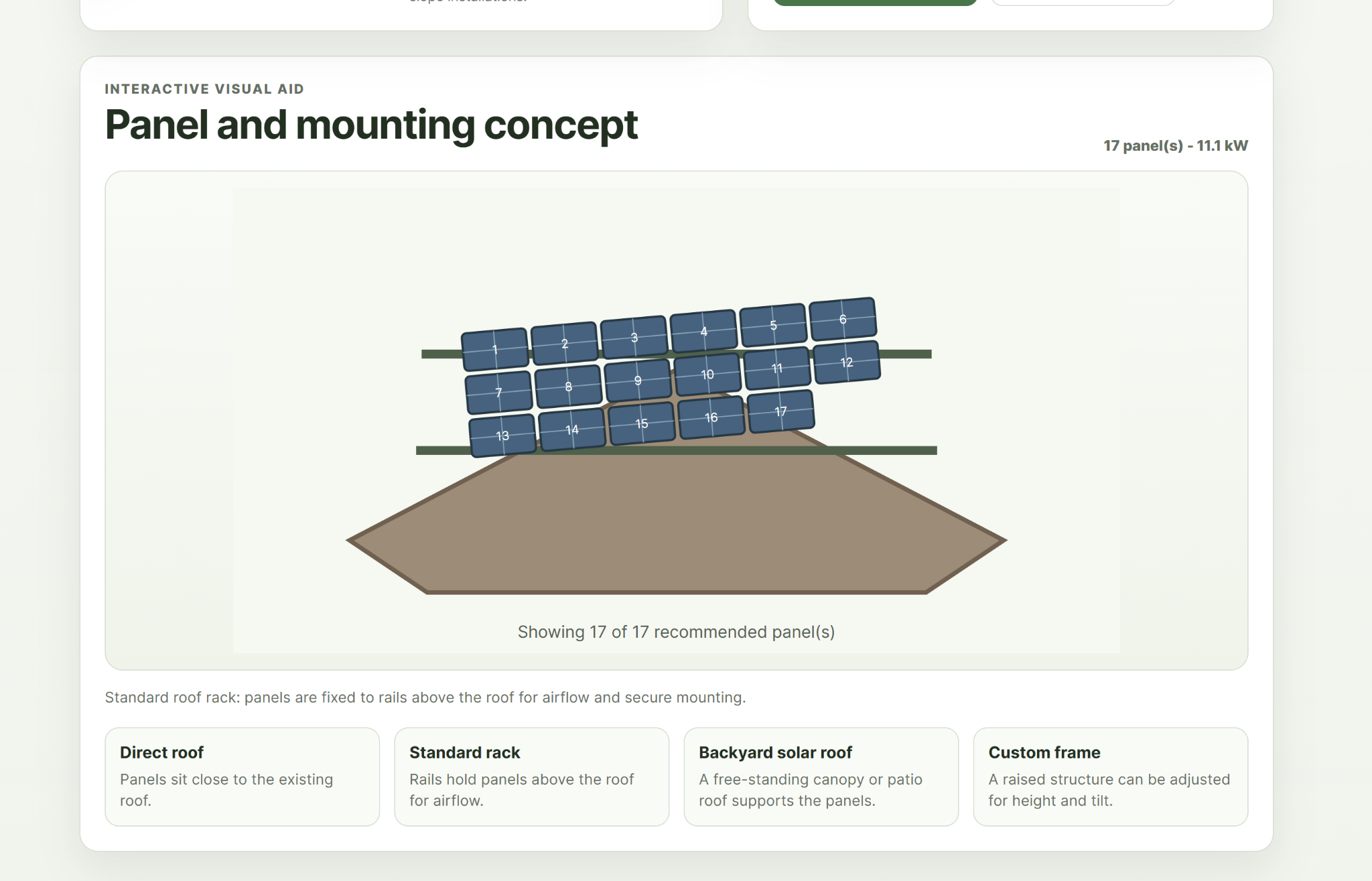
Roof, Array & Equipment Planning

Turn a recommended array into something that can be checked against the physical roof and real equipment limits.

  • Length + width beginner mode
  • Panel-fit and overflow warnings
  • Series/parallel array concepts
  • Equipment catalogue and custom products
  • Compatibility confidence levels
Open this feature
Solar Plan Lab roof and panel mounting concept interface

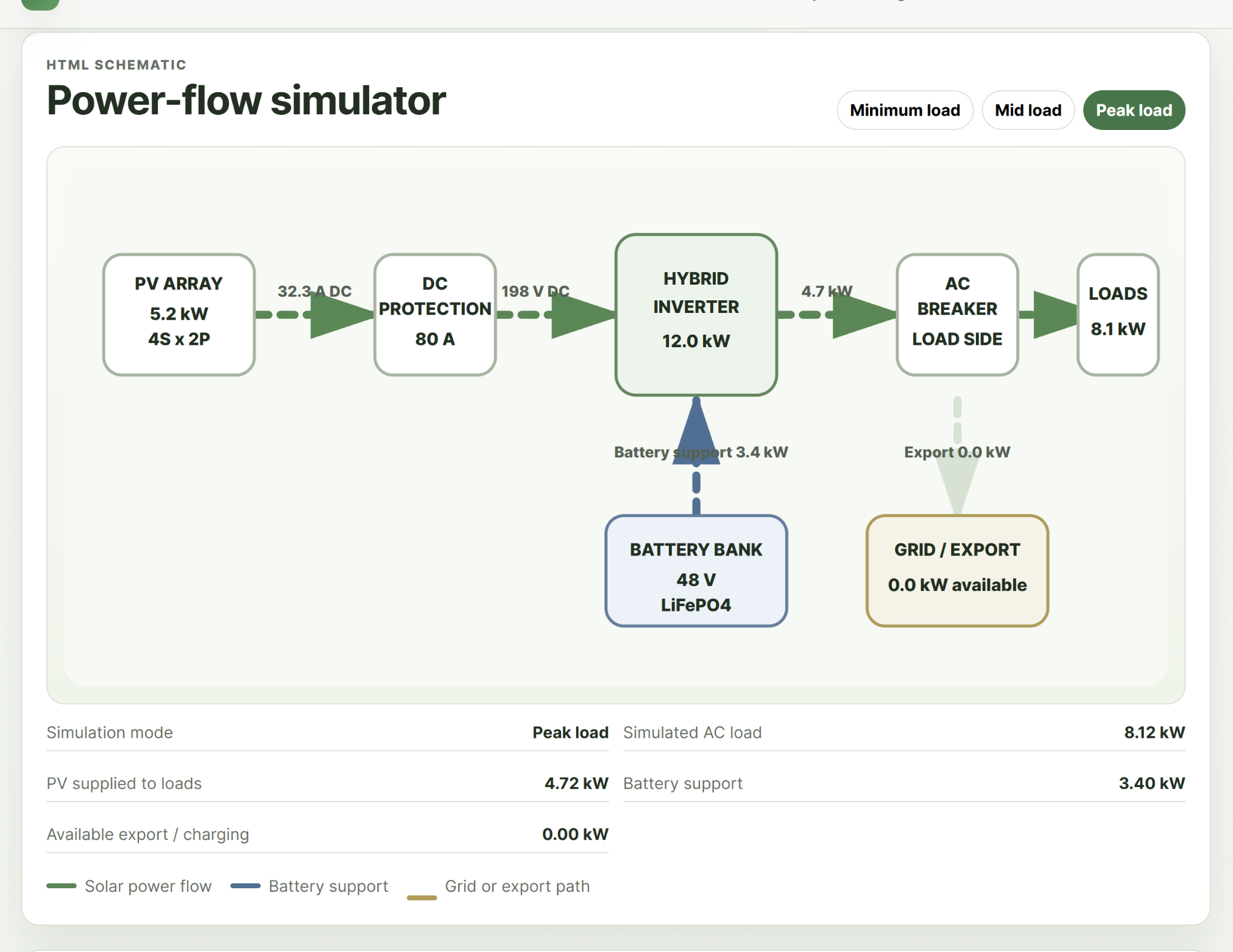
Electrical Checks & Power Flow

Visualise how PV, inverter, battery, utility and loads interact while keeping DC and AC calculations separate.

  • PV voltage and MPPT checks
  • Battery voltage/output checks
  • Separate AC and DC wire sizing
  • Breaker and fuse helpers
  • Power-flow and thermal warnings
Open this feature
Solar Plan Lab power flow simulator interface
Not sure where to begin?

Start with Quick Start, not the tool list.

It will point you toward the features that matter for your specific goal.

Start my free plan